What does a mail system have to do with Combat and Progression, you may ask? Honestly, nothing and everything at the same time. While the mail system doesn’t directly impact your combat or adventuring progression, it does enable you to more easily trade that sweet, sweet loot that you’ll acquire during your adventures – whether that’s sending your guildmate a shiny item or transferring some crafting materials to one of your other characters. Our new mail system for Pantheon: Rise of the Fallen is just about ready for testing, and so we wanted to give a quick overview of some of the features.
First, a disclaimer: The screenshots you are about to see all represent a work-in progress user interface for the system. We’re still doing some polish and refinement, so they may look a little different once you are all able to access them in game.
Accessing your Mail
If you want to check your messages or send messages, you’ve got multiple options available to you. First, you can access and read your mail at any time by opening the mail panel via the game’s menu. When you use this option, you are limited to only sending or reading text messages. If you want to send or receive attached items or coin, you’ll need to interact with a Mail Courier NPC or a Mail Kiosk in the world, which you will usually find in cities, towns and villages.

Clicking that new button will open up the Mail Window, where you’ll be able to see any messages you have received and compose new messages. Like this:
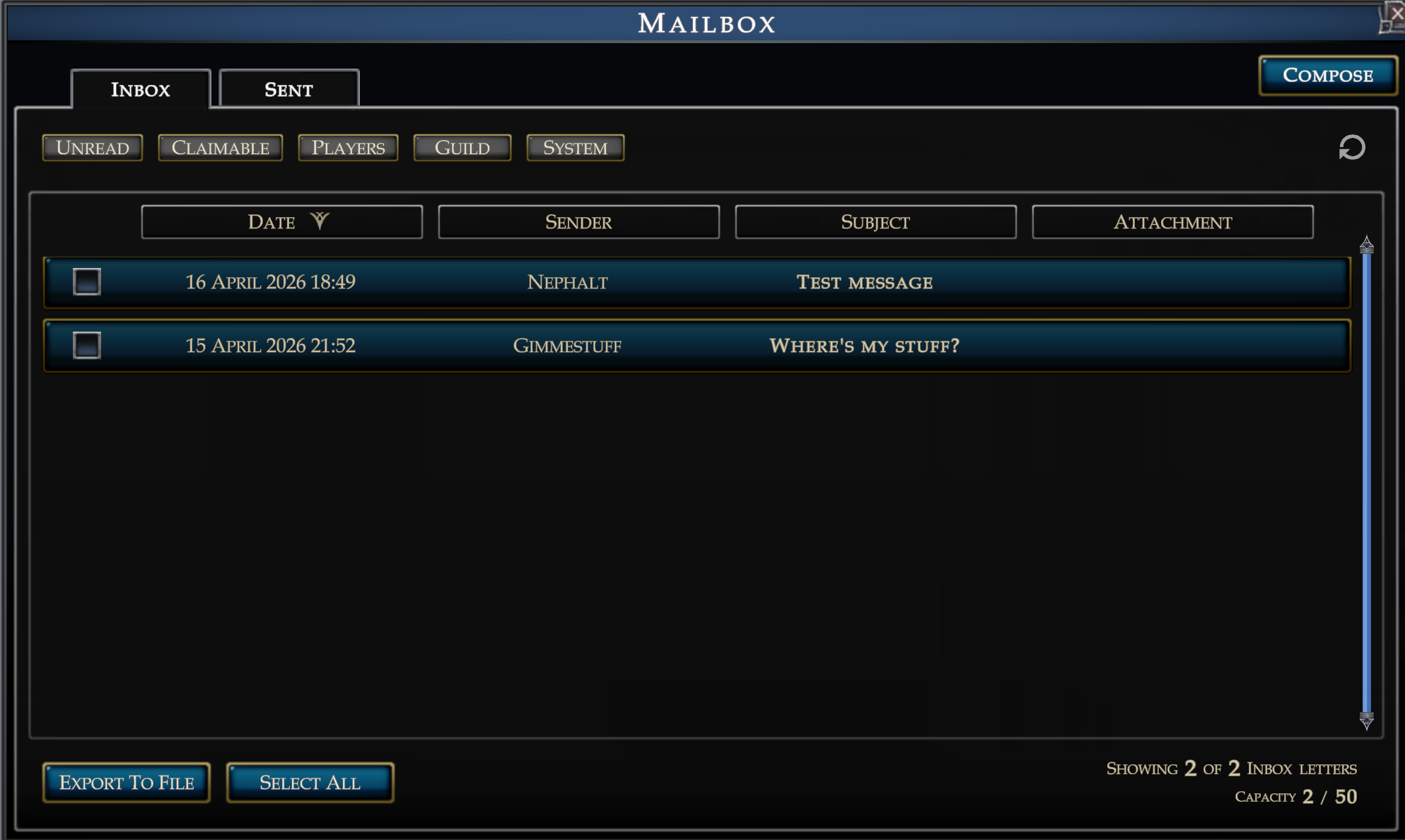
There are a lot of features here, so here’s a quick list of what you can do in this window:
- You can use the tabs at the top to view messages you’ve received or that you’ve sent. We store up to 50 received messages, after which you will have to clean up your mailbox to receive more.
- You can use the filter buttons to hide or display different types of messages – for example, turning on the Guild filter will let you see all messages that were sent to the entire guild, and hide the other types of messages.
- You can select any number of messages being displayed, which will let you delete them if you’re done with them, or export them to a file for posterity.
- You can click any message to open it up and read it. When you have it open, there’s a button to reply, as well as a button to report the message if needed.
- You can also click the button at the top to compose a new message to someone.
Sending Mail
You can send a message to up to 10 recipients, but it’s not free. Each message sent has a base cost. That cost is increased for additional recipients, and the cost also increases if you attach anything to the message, and that amount scales with the number of attachments. You can attach up to 5 items to a single message, along with coin.
Guild Leaders and Guild Officers will be able to send mail to their entire guild for a flat fee, which can be useful for announcing your plans for OgreFest 2026, or potentially for more mundane activities like telling everyone where to meet up for the raid this weekend.
Here’s what that window looks like. You’ll notice I’m sending this mail to two recipients, and it’s costing me a silver coin to do that right now in our test environment. Mail fees, like everything else, will be subject to tuning as we start testing this out with actual players.
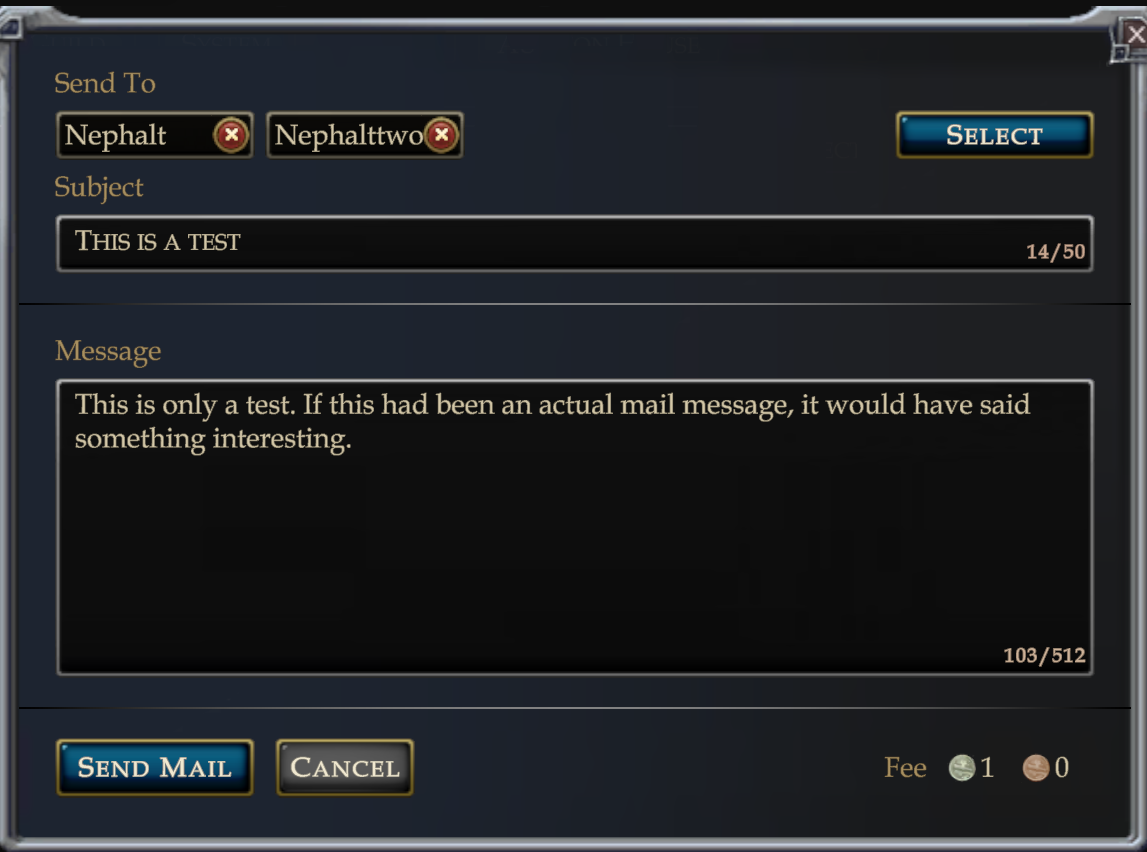
To add recipients to a message, you click on the “Select” button at the top. We’re still working on this part of the UI, so expect some refinement here before the mail feature is released, but at the moment this pops up another window like so:
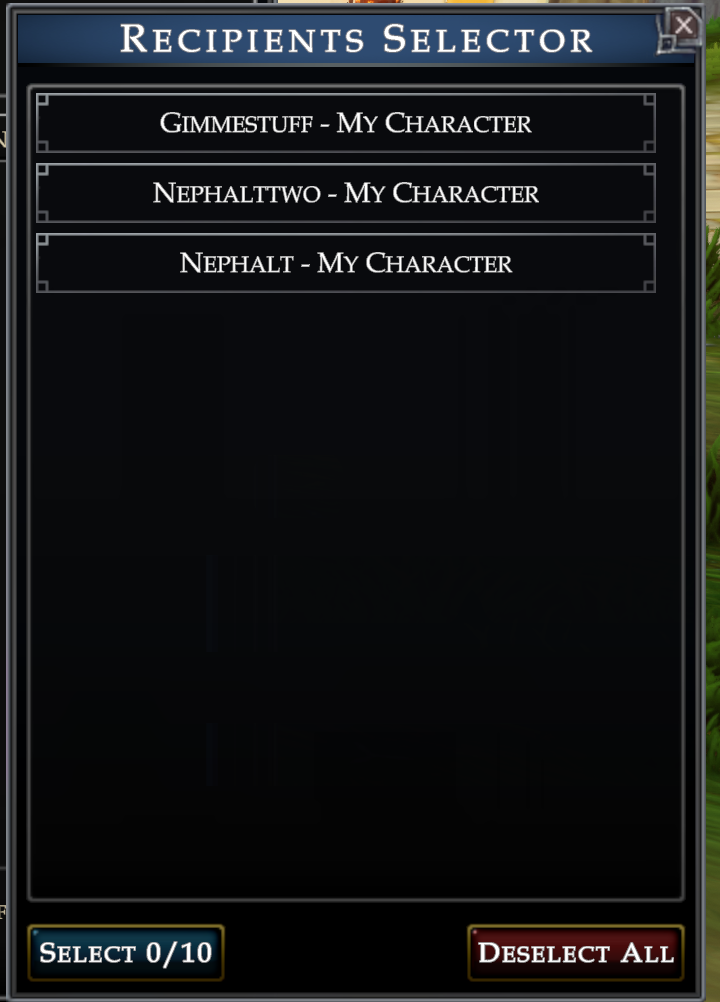
This window will let you choose from valid recipients. You might be wondering what makes someone a valid recipient. Those people are:
- Anyone on your friends list
- Anyone in your guild
- Any of your own characters
These restrictions are in place to help prevent bad people from trying to use the mail system for bad things. We can’t prevent every potential abuse (which is why we have a Report button too), but this should help prevent casual spam at the least.
Sending Stuff and Things
As mentioned above, if you use a Mail Courier or Mail Kiosk in the game, you’ll be able to attach items and coin to messages or retrieve them from messages you have received. You can even send items to your own characters this way, making it convenient when you have a needy alt. Like this one:
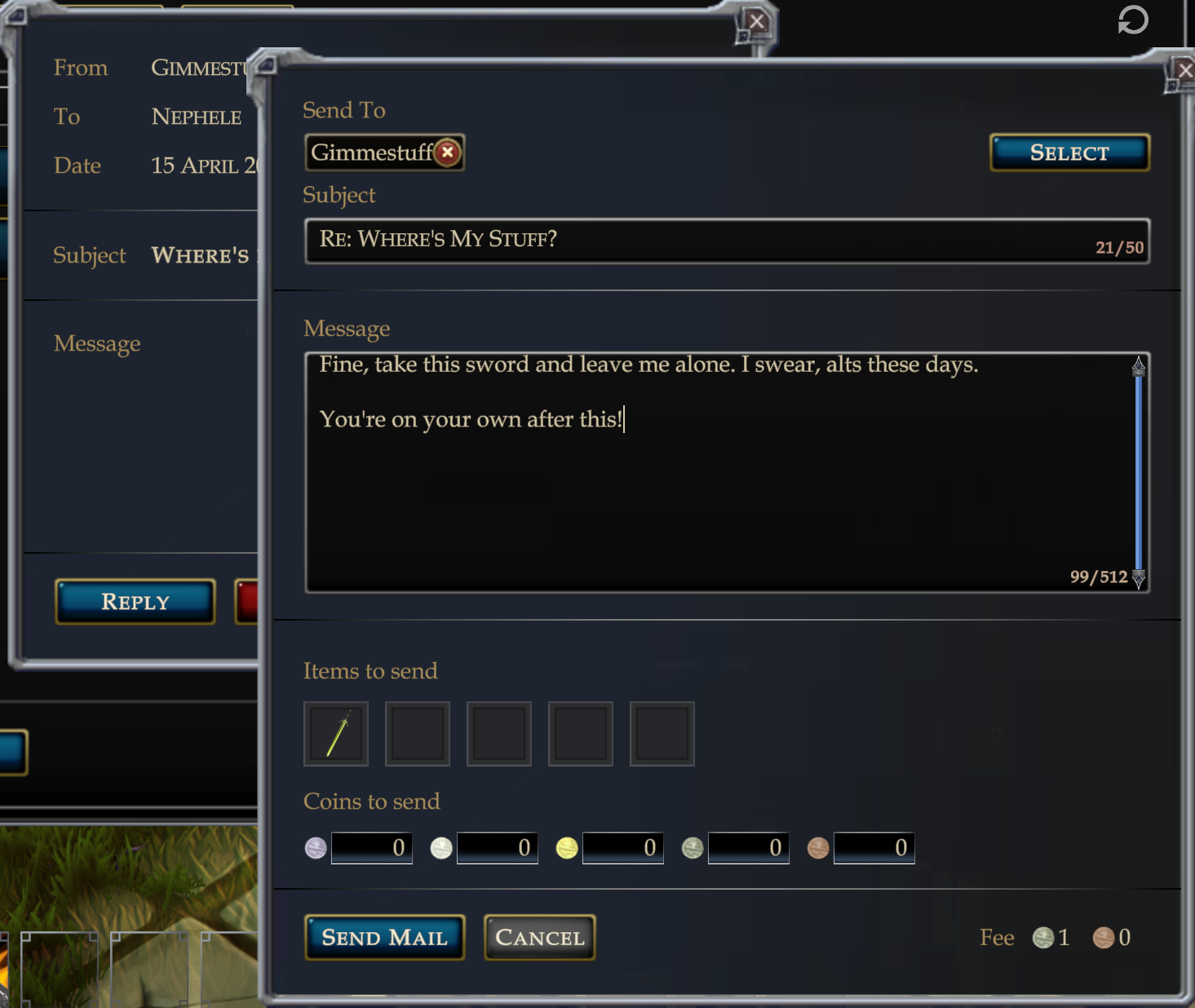
Of course, you can also use this to trade items to your friends and guildmates. Sending items and coin isn’t free, but this system is intended to help facilitate trading if the other person isn’t online – or simply just if it would be inconvenient to travel to wherever they are at.
Why Mail, and When Mail?
Let’s start with the why. There are several reasons:
- The mail system allows players to trade with other people without the other person having to be online.
- The mail system allows players to safely and securely transfer items between their own characters.
- The mail system is how you’ll receive items that you purchase from the Market.
- The mail system is also how you might receive items from us in the future as part of account rewards, or really any other scenario where we need to send out an in-game item to players for some reason.
As far as the when, the answer is that the Mail system will be available for testing when our Public Test Realm opens and will be part of the full Combat and Progression Update when that update is ready to release. We’re getting the system in early because we need to find any bugs with it and stomp them as early as possible. So, once that test realm opens up, we invite all of you to send lots of mail to your friends and guildmates, to help us out with the bug squishing.
Around the Team – What we’ve been working on this week
Design and Narrative
- Continuing population of Kosa Ull in Badia de Cara
- Baseline testing for Unified NPC templates and core combat mechanics
- Initial testing for new/updated Paladin abilities
- Bug fixes and refinements for Warrior and Paladin base abilities
- Second pass on itemization for Combat and Progression
- Continuing work on Mastery for Cleric, Druid, Shaman
- Continued work on NPCs and Dialogue for the Port of Rulun
- Continued implementation for Warrior Mastery
- Starting implementation for Paladin Mastery
- Implementing Dire Lord Base Kit and Blood Debt mechanic
Worldbuilding and Environment Art
- Continued finalizing set dressing for Mawnok villages
- Continued finalizing Rulun building interiors and exterior set dressing
- Continued Adding shipwrecks and ruin areas to undersea biomes
- Finalized underwater lighting settings
- Added more underwater flora including color variations
- Finalized concept work for Faerthale City structural elements (walls, gates, walkways/bridges, and towers) to begin asset creation
- Imported small player boat for in-engine testing
Character Art and Animation
- Continuing animations for Sharks and Hydryn models
- Continued modeling/texture work for minor/ambient BDC creatures
- Continued Detailed modeling/texture work for Siren
- Continued texture work for Coastal Khroon
- Beginning work on ambient life VFX for Badia de Cara
Programming
- Finished initial implementation of bane damage and bonus damage system for items
- Finished implementation of equipment proficiency system
- Updated item tooltips to display item rarity
- Finishing hookup of Mastery persist layer and UI functionality
- Finalizing Mail system UI, database hookup, and initial testing
- First pass testing for mastery code
- Additional prep for testing 3D NPC movement
- Compiling shader list for technical evaluation
- Begin adding support for additional NPC leashing controls
- Begin adding support for multi-charge player abilities
Discuss this article on the New Official Pantheon Subreddit
Join the Official Pantheon Discord